
| devakf É |
|
Devakey 3.0
Usermanual |
Devakey 3.0 - Reference
Devanágari
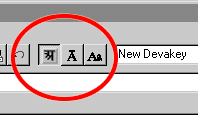 In
order to write in Devanágari you first select the Devanágari-Mode in the
menubar.
In
order to write in Devanágari you first select the Devanágari-Mode in the
menubar. When you click on ‘Devanàgari’, then font will be changed correspondingly and selected text will be transformed into Devanàgari .
In addition, you now have some special support for automatically writing Devanàgari.
Writing Devanàgari:
Devakey automatically inserts the right ligatures, so you don´t have to memorize the key for any of them! Also capitals are made by the program and even letters like ‘i’ and ‘r’ are placed correctly.
So you only have to enter the basic characters, as contained in the Devanàgari-alphabet. Input follows a very easy scheme:
=>
Simple letters you find right on their keys
=>
Aspirated and long characters are on [shift + letter]
=>
Retroflex characters are on [ctrl + letter]
=>
Aspirated retroflex characters are typed [ctrl + shift + letter]
With these four rules you can type almost every Devanàgari letter.
Here you find a small table with some special characters:
| , | Virama - on the [ ; ] -key or ‘shift-komma’ |
| 1 | Avagraha - on ‘shift - space’ |
| ã | Danda - on the key [< ] ( ' | ' ) |
| @ | Om - on the key [ q ] |
| µ | with 'ctrl-m' |
| ¤ | (candrabindu) on 'ctrl-shift-m' |
| ™˜ Ÿ | Vedic Accents - 'ctrl - [<] ' or 'shift - [<] ' or 'Strg-Shift - [<] ' |
Compound letters in Devanàgari:
In a Devanàgari-konsonant is always an inherent vokal contained ( „k“ = „ka“ ).
In order to write a konsonant without
Vokal, you have to type a Virama after the konsonant
( „ , “ = komma on the keyboard [
, ] ), which removes the inherent vokal.
When you enter another konsonant afterwards, Devakey automatically inserts the right ligature. So if you type „ k,t “ you will get „ ª “.